Tracking
A Google Tag Manager audit checklist.
By Felix Grant5 min read
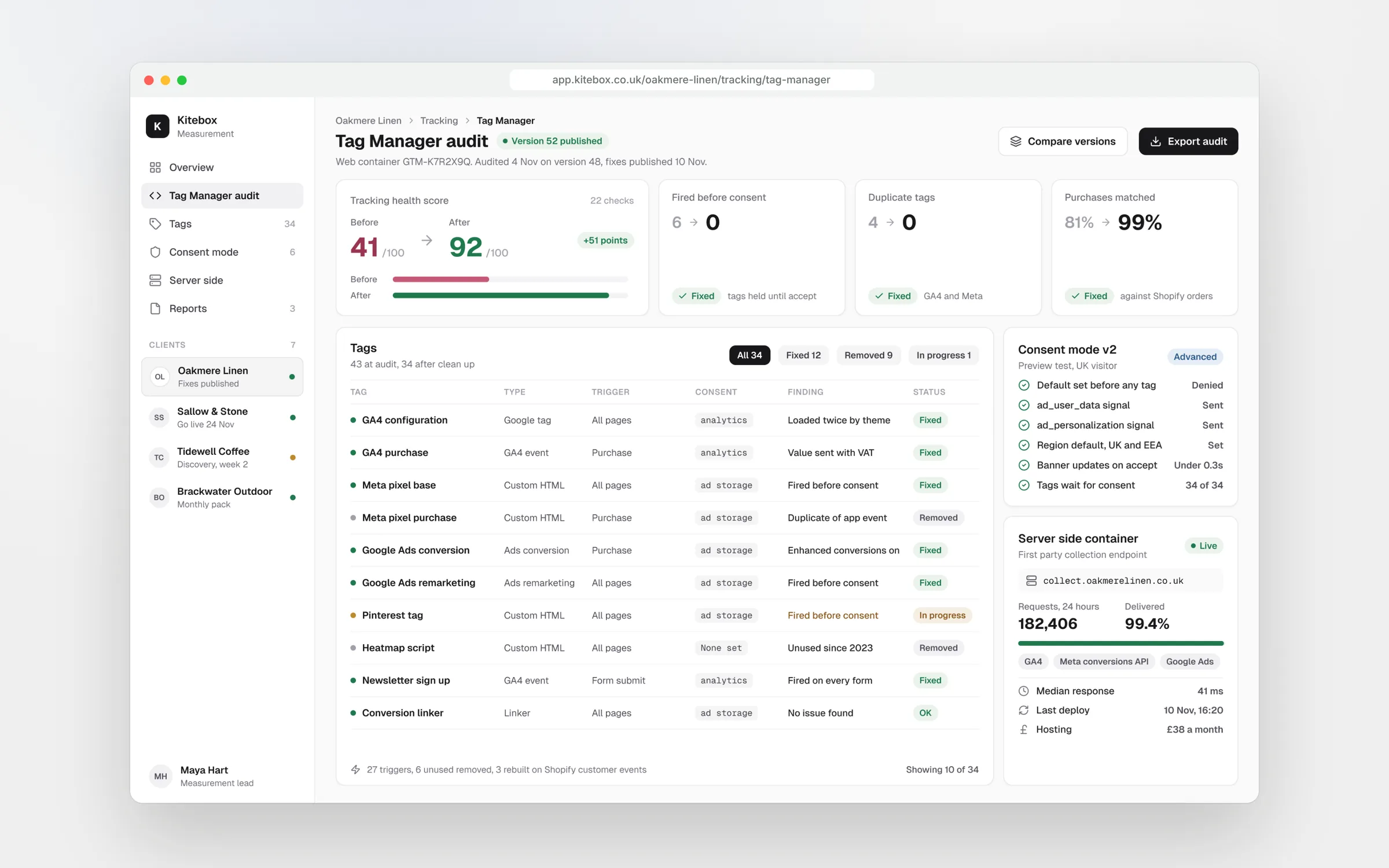
A Google Tag Manager audit checks that every tag fires once, at the right moment, only with the right consent, and that someone other than the original builder can still understand the container. Start with duplicate conversions and tags firing before consent, because those cost money and carry legal risk. Then work through consent mode v2, naming, unused tags and triggers, and decide whether server-side tagging is worth it for you.
Prepare
Before you open a single tag
Export the live container from the Admin screen and keep the file. It is your backup and your record of where you started. Then read the version history: who published last, how often, and whether anyone wrote notes. A container published forty times with no notes tells you most of what you need to know.
Check user access next. Old agencies, freelancers and staff who have left often still have publish rights. Remove anyone who does not need access, and keep publish permission to the smallest group that can work safely.
Finally, check what else is on the site. A hardcoded Google tag in the theme, a Shopify or WordPress plugin sending GA4 events, or a second container added by a developer will all sit outside Tag Manager. Browser developer tools and Google's Tag Assistant show every tag loading on a page, whichever system put it there.
Duplicates
Duplicate and missing conversions
Duplicates are the most expensive fault, because ad platforms optimise on them. The usual causes are a purchase event sent by both Tag Manager and a platform integration, a thank you page that fires again on reload, and the Meta pixel and Conversions API both sending a purchase without a shared event ID to deduplicate them.
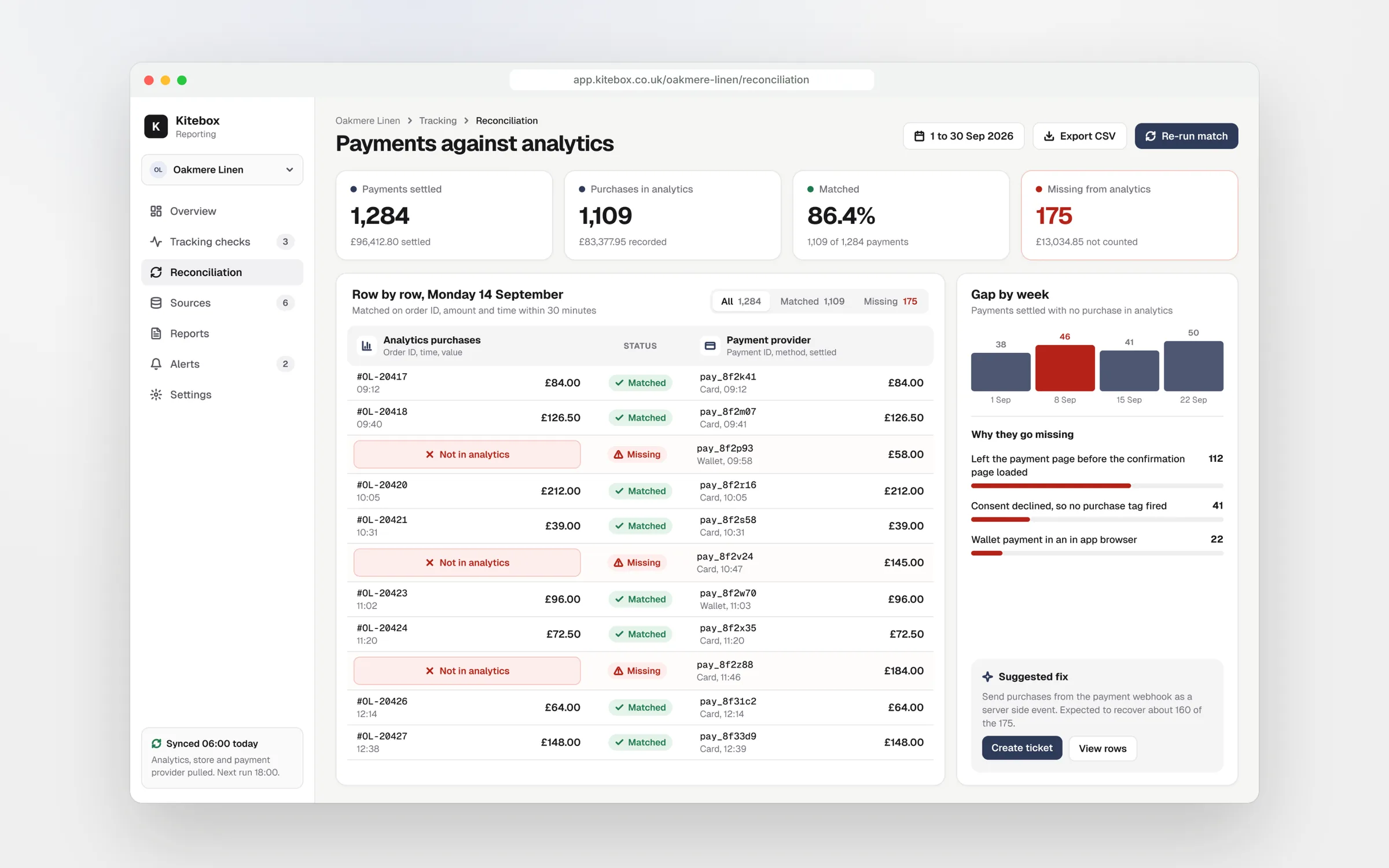
Test it rather than reading the tags. Place a real order or submit a real lead in preview mode, then check GA4's DebugView and each ad platform's test tools. Then compare a month of purchases in GA4 with your order export by transaction ID. IDs that appear twice are duplicates. Orders that never appear are missing, and missing purchases can hide duplicates in the totals.
Check conversion actions in Google Ads and Meta too. Old actions left as primary conversions keep counting long after the tag behind them changed.
Consent
Tags before consent, and consent mode v2
Open the site in a fresh private window, decline everything on the cookie banner and watch the network requests. If requests to Google Analytics, Google Ads, Meta or TikTok carry identifiers before or after you declined, the banner is decoration. It looks fine to every visitor, so nobody notices unless someone tests for it.
Since March 2024, Google has required consent mode v2 for sites using its advertising services with visitors in the UK and EEA. It added two signals, ad_user_data and ad_personalization, alongside ad_storage and analytics_storage. Check that default consent states are set before any tag fires, that your banner updates them when a visitor chooses, and whether you run basic mode, where Google tags wait for consent, or advanced mode, where they send cookieless pings when consent is declined.
UK rules changed in 2026. Under the Data Use and Access Act 2025, from 5 February 2026 cookies used only for statistics or analytics by the site operator can be set without consent, provided visitors get clear information and a free way to opt out. Advertising tags still need consent, and the maximum fine under PECR rose to £17.5 million or 4% of global turnover. Whether your analytics set-up qualifies is a question for your legal adviser, not your tag manager.
A banner that looks right is not consent that works.
Tidy
Naming, unused tags and triggers
Pick one naming scheme and apply it to every tag, trigger and variable, for example platform, type, then detail, such as GA4 event purchase or Google Ads conversion lead form. Group them into folders by platform. A container anyone can read is a container nobody is afraid to change.
List what can go. Paused tags, tags for tools you no longer pay for, old agency pixels, Universal Analytics tags and variables nothing references are all clutter, and some still load code on every page. Custom HTML tags deserve extra care: they can run any script, so check what each one does and who added it.
Then check the triggers. Tags on All Pages that only need one page, click triggers tied to CSS classes from an old theme and form triggers that fire on any submit, including newsletter sign-ups, are all common. Every trigger should fire on exactly the event it describes, and you should be able to say how you know.
Server side
Is server-side tagging worth it?
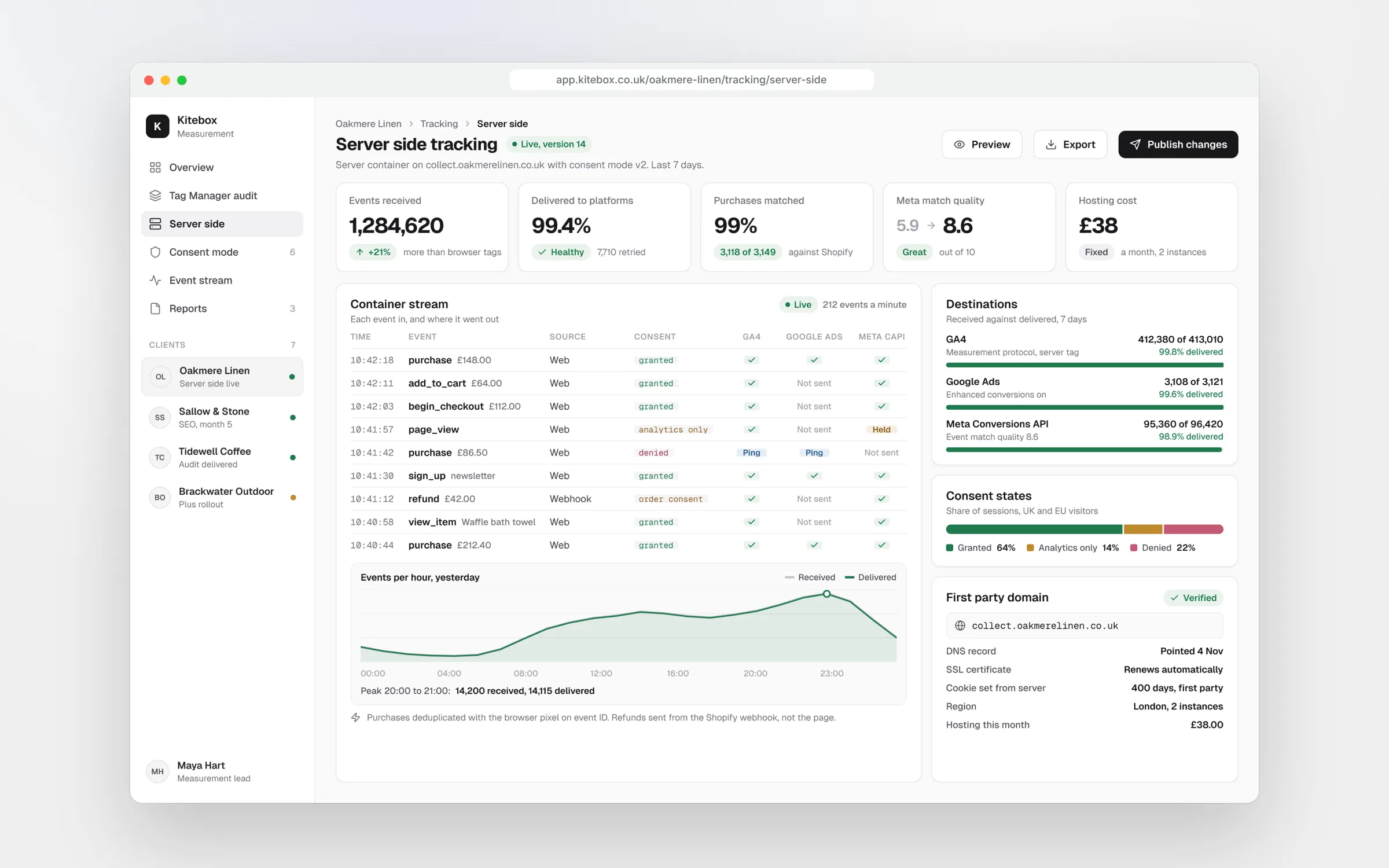
Server-side tagging sends events from the browser to your own tagging server, which then forwards them to GA4, Google Ads, Meta and others. It can recover conversions lost to ad blockers and browser limits, give you more control over what each platform receives, and take some scripts off the page.
It costs money and needs looking after. Google's own Cloud Run guidance recommends at least two instances to reduce the risk of data loss, at roughly $45 per server per month, so plan for around $90 a month before traffic grows, or a hosted provider's fee instead. Someone also has to update and monitor it.
It is worth it when you spend meaningfully on ads and a visible share of conversions goes missing. It is not a fix for a broken container. It does not override consent, and it will faithfully forward a duplicate purchase if you send it one. Clean the browser container first.
Next
Document it, then keep it clean
Finish every audit with a written tracking specification: each event, its parameters and values, which platforms receive it and under which consent state. Give it to your developers, so the next site rebuild does not quietly break tracking. Add a note to every published version from now on.
Then check monthly, and after any theme, checkout or plugin change, by comparing purchases or leads with your own records. For a luxury wellness brand on Shopify Plus, an audit like this retired six dead conversion actions. For a luxury watch dealer, it removed a key event that was about 90% noise. For an online learning company, the same kind of check found 552 purchases that had never been counted.
Our free GA4 health check catches the most common problems in a few minutes. For a full container review, our Tag Manager audit at £1,950 lists every tag, trigger and variable, tests consent on the live site and gives you a ranked fix list.
Key takeaways
- Back up the container and remove old users with publish rights first
- Test real conversions by transaction ID to find duplicates and gaps
- Decline cookies in a private window and watch what still fires
- Name, folder and prune every tag, trigger and variable
- Fix the browser container before paying for server-side tagging

Written by
Felix Grant
Founder of Kitebox, a business technology and AI consultancy that builds what it recommends. Based in Mallorca, working with UK businesses.
About Felix →