AI
Where should a small business start with AI?
By Felix Grant5 min read
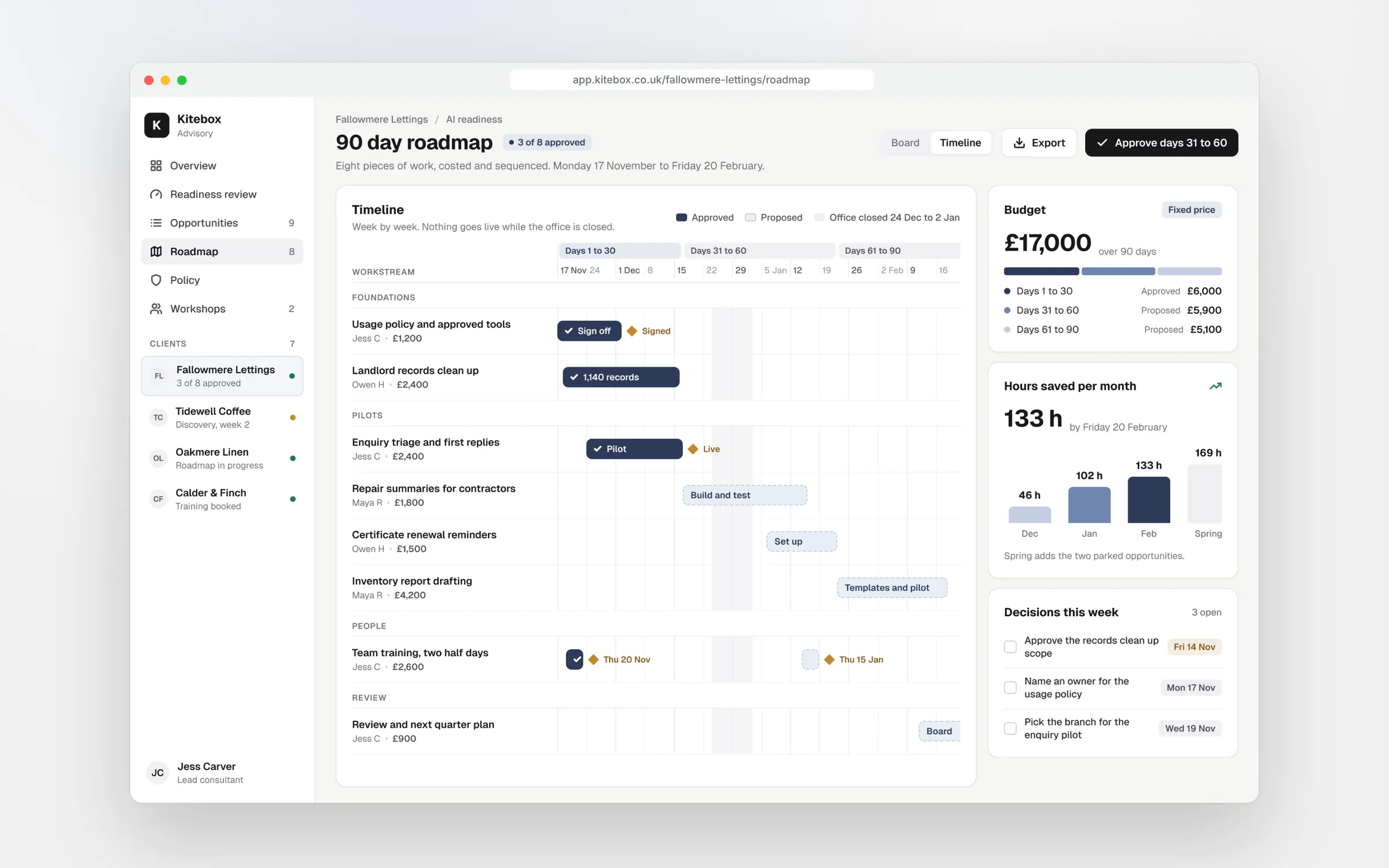
A small business should start with AI by checking what it already has, not by buying something new. Look at five areas: your data, the AI tools you already pay for, how your processes run, whether you have a usage policy, and your team's skills. Then list the repetitive jobs that take up your week, rank them by hours saved against effort and risk, and do the top one or two properly before anything else.
Start
Start with the business, not the tool
Most small businesses come to AI the wrong way round. Someone sees a demo, a supplier adds an AI feature, or a competitor mentions it, and the question becomes which tool should we buy. That leads to subscriptions nobody uses and pilots that never end.
The better question is where the hours go. Every business has a handful of jobs that are frequent, repetitive and mostly writing, reading, sorting or copying: replying to the same enquiries, writing up calls, building the monthly report, chasing documents. Those are where AI and automation earn their keep. Start with a list of those jobs and work backwards to the tools.
It also helps to separate AI from plain automation. Some jobs need reading, writing or judgement, such as summarising a call or drafting a reply. Others just need data moved from one place to another on a rule. The second kind is cheaper and more predictable without AI at all, and a good plan uses each where it fits.
Before that list means anything, though, you need an honest view of how ready the business is. We look at five areas.
Readiness
Five things to check first
Data. AI is only as useful as the information it can work with. Is your customer data in one CRM or spread across inboxes and spreadsheets? Are your templates, prices and policies written down somewhere current? If the answer is no, tidying that up is the first project, and it pays off whether you use AI or not.
Tools you already pay for. Many small businesses already have AI features inside their email, documents, accounting software or CRM, often included in plans they pay for every month. List them before buying anything. The cheapest AI project is the one that uses a licence you already have.
Processes. If a job is done differently by every person who does it, automating it just automates the confusion. Write down the steps for the jobs you are considering, including the exceptions. Often that alone shows where the time goes.
Policy and skills. Do staff know what they can and can't paste into AI tools, and which accounts to use? Can they get good results from the tools they have? A short usage policy and a few hours of hands on training usually do more for a small team than any new software.
Ranking
Rank the jobs by hours saved
Once you know where you stand, list every candidate job and give each one three numbers. How often it happens a month. How long it takes each time. And roughly how much of that time AI or automation could remove, after allowing for someone checking the result. Multiply them out and you have hours saved a month, based on your own work rather than a vendor's claim.
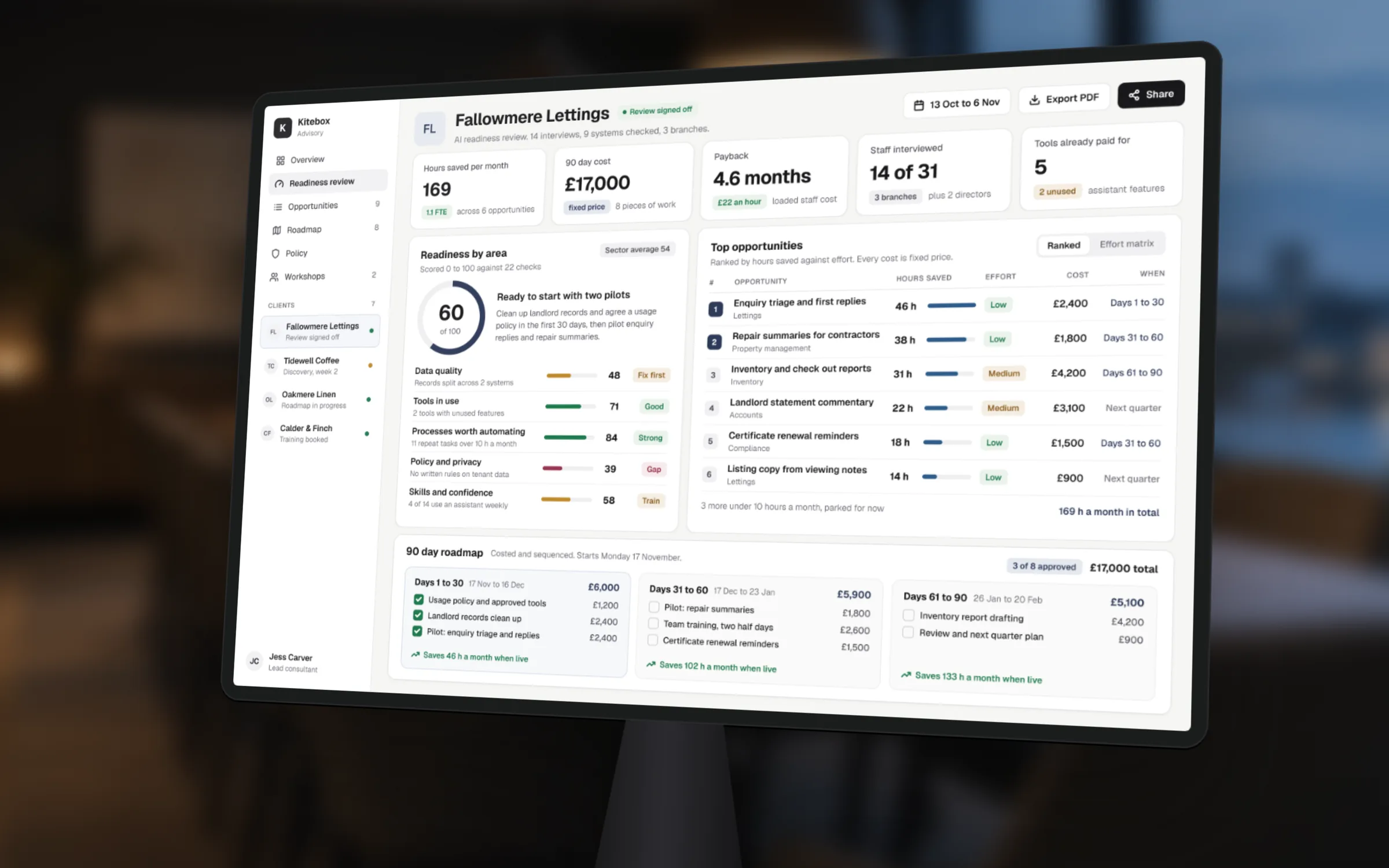
Then score each job for effort and risk. Effort is how hard it is to set up: does it need one tool, or a connection between three systems? Risk is what happens if it goes wrong: does it touch money, customers or personal data? A job that saves 20 hours a month with low effort and low risk goes to the top. A job that saves 30 hours but touches every customer record needs more care and goes later.
Turn the top of the list into a 90 day plan with an owner and a cost for each item. Put quick wins in the first month, so the team sees results before the bigger projects start.
The cheapest AI project is the one that uses a licence you already have.
Avoid
What not to do
Don't start with a chatbot on your website. It is the most visible AI project and often the riskiest, because it talks to customers unsupervised. Get AI working well behind the scenes first.
Don't let AI make decisions about people on its own. Using it to help prepare a decision about a customer, applicant or employee is fine; letting it decide brings UK GDPR obligations around transparency and human review that most small businesses are not set up for.
Don't run five pilots at once. Pick one or two jobs, do them properly, measure the hours saved, then move on. And don't build anything nobody in the business can maintain. If the person who set it up leaves, someone needs to know what it does and how to switch it off.
Finally, don't judge AI on the first attempt. Most people's first results are generic because they gave the tool no context. Before deciding something doesn't work, have someone who uses these tools well try the same job, with the right background information and a clear request. The difference is usually large enough to change the decision.
Next
What to do this month
List the AI features in tools you already pay for. Ask each person in the team for the three tasks that take most of their week. Write a one page usage policy, or adapt a template. Pick the one job with the best hours saved and lowest risk, and give it to a named owner with a date to report back.
Then measure it. After a month, compare the time the job takes now with your estimate before. If the saving is real, do the next one. If it isn't, find out why before spending more.
Keep the scorecard simple and visible. One line per job: the estimate before, the actual after, the owner and what happens next. It stops AI becoming a vague initiative and turns it into a list of changes the whole team can see.
If you would like someone to do this with you, our AI consulting starts with a fixed price workshop or a fuller readiness review that scores these five areas, ranks your opportunities by hours saved and ends in a costed 90 day roadmap.
Key takeaways
- Start with where the hours go, not with which tool to buy
- Check data, existing tools, processes, policy and skills first
- Rank jobs by hours saved a month, then by effort and risk
- Avoid customer facing chatbots and automated decisions about people at first
- Do one or two jobs properly and measure before doing more

Written by
Felix Grant
Founder of Kitebox, a business technology and AI consultancy that builds what it recommends. Based in Mallorca, working with UK businesses.
About Felix →