Ecommerce
How to get ecommerce category pages ranking.
By Felix Grant5 min read
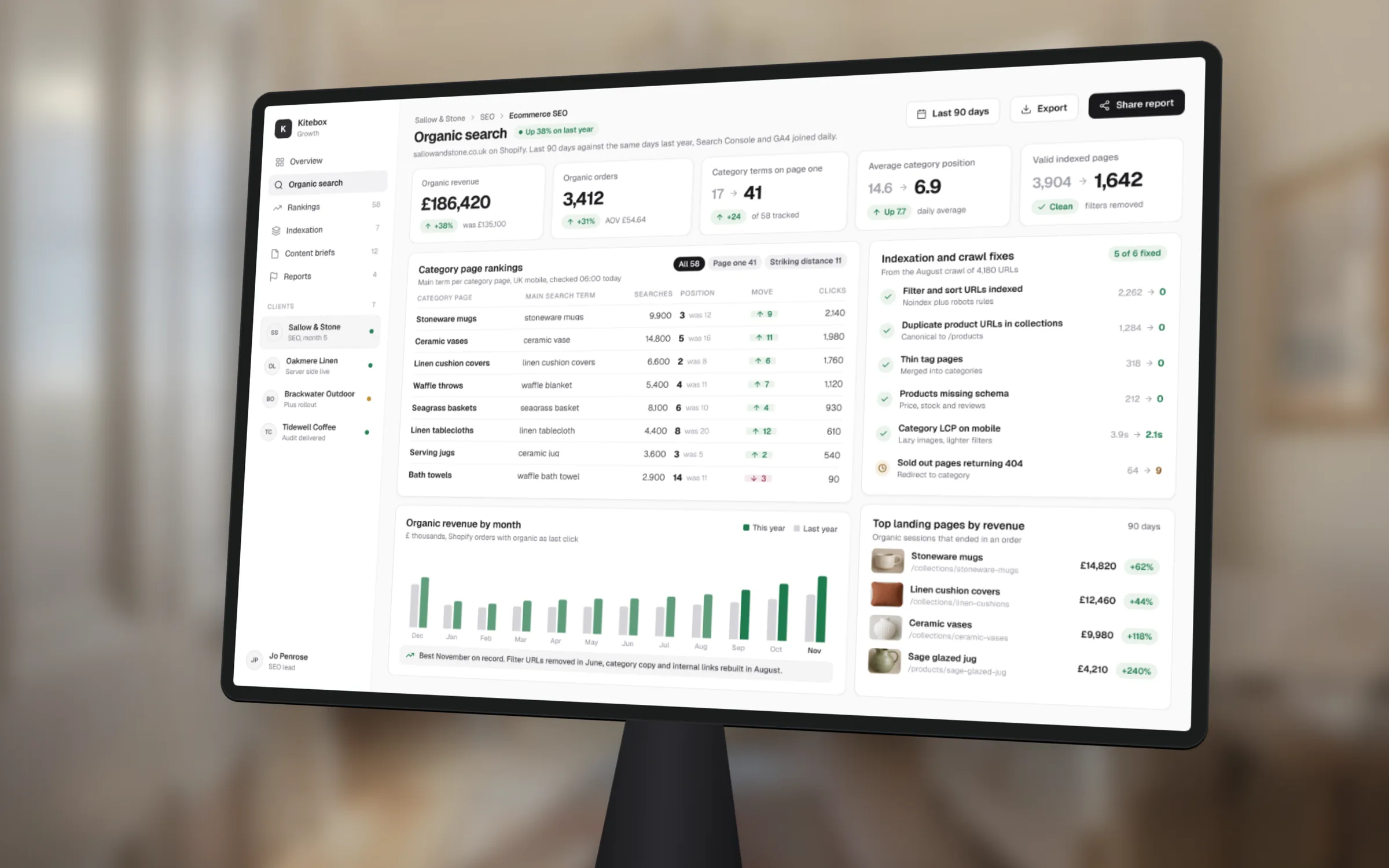
Category pages rank when each one targets a single clear search, can be crawled without thousands of filter variations getting in the way, and gives a shopper more than a grid of products. Most shops get one of those wrong, usually the filters. Fix the structure first, then the copy, then the links, and measure every change against a fixed baseline.
Why
Why category pages matter most
Someone searching for oak dining tables or women's trail running shoes is ready to compare and buy, but has not picked a product yet. A product page is too narrow for that search and a blog post is too far from the checkout. A category page answers it exactly: a range of options, with prices, on a page that can take the order.
That is why category pages tend to carry the most valuable non-brand traffic on an established shop. They also do a quieter job. They pass authority down to the products in them, so a strong category lifts dozens of product pages at once.
Most shops treat them as navigation and nothing more. The page title is the category name, there is no copy, half the URLs are filter variations, and the same products appear under three near-identical categories. Each of those is fixable, and none of them needs a new platform.
Targeting
Give each category one job
Start in Search Console. Export the queries each category already appears for, then group them by meaning. If two categories show up for the same searches, Google is having to choose between them, and usually neither ranks well. Merge them, or change one so it clearly targets something else.
Then look for gaps. If people search for a sub-type you sell but have no page for, such as walnut dining tables when you only have a dining tables category, that is a case for a new subcategory. Create it only when there is real demand and enough products to fill it. A category with three products and a paragraph of copy is a thin page, not an opportunity.
Name things the way customers search. Internal names like Living Range 2 or SS26 Outdoor mean nothing to a shopper or a search engine. The page title, the main heading and the URL should all use the words people actually type, written for a person rather than packed with variations.
Crawling
Stop filters drowning the pages that matter
Filters are the most common reason category pages underperform. Colour, size, price and brand filters can turn one category into thousands of URLs. Search engines spend their time crawling those combinations instead of your real pages, and the variations compete with the category they came from.
Google's own guidance on faceted navigation is clear. If you don't need filtered URLs in search, block them from crawling in robots.txt, which works better over time than relying on canonical tags or nofollow links alone. If you do want some indexed, keep the parameter order consistent, prevent duplicate filters, and return a 404 for combinations with no results rather than an empty page.
The useful middle ground is to choose a small number of filter combinations with real search demand, such as a single colour or material, and turn them into proper subcategories with their own clean URL, heading and copy. Everything else stays out of the index.
Check the platform defaults too. Shopify can show products under a collection path as well as their own URL, so make sure internal links point to the canonical product URL. Make sure paginated pages can be crawled, and decide what happens when a seasonal category is empty: keep it live with a note and related products if it will return, or redirect it to the closest category if it won't.
Fix the structure first. Copy cannot rescue a page Google can't find.
On the page
What a ranking category page has on it
Keep a short introduction above the products: two or three sentences that say what is in the range and who it suits. Shoppers want to see products quickly, so don't push the grid below the fold with a wall of text.
Put the longer help below the grid. That means the things a good shop assistant would tell you: how to choose a size, the difference between solid oak and veneer, what the delivery and returns terms are, and answers to the questions your customer service team hears every week. Write it for the shopper, and it will cover the related searches naturally. Avoid the old habit of 800 words of keyword-heavy text that nobody reads.
Show the products that sell, in stock, first. A category that opens with sold-out items or the oldest stock gives searchers a reason to go back to the results. Add breadcrumbs with matching structured data, make sure product cards show price and availability clearly, and check the page loads quickly on a phone, because that is where most of your visitors will see it.
Links
Point links at the categories
Internal links tell search engines which pages matter. Your most valuable categories should be reachable from the main navigation, linked from related categories, and linked from every buying guide and article that touches the topic, using descriptive anchor text rather than shop now.
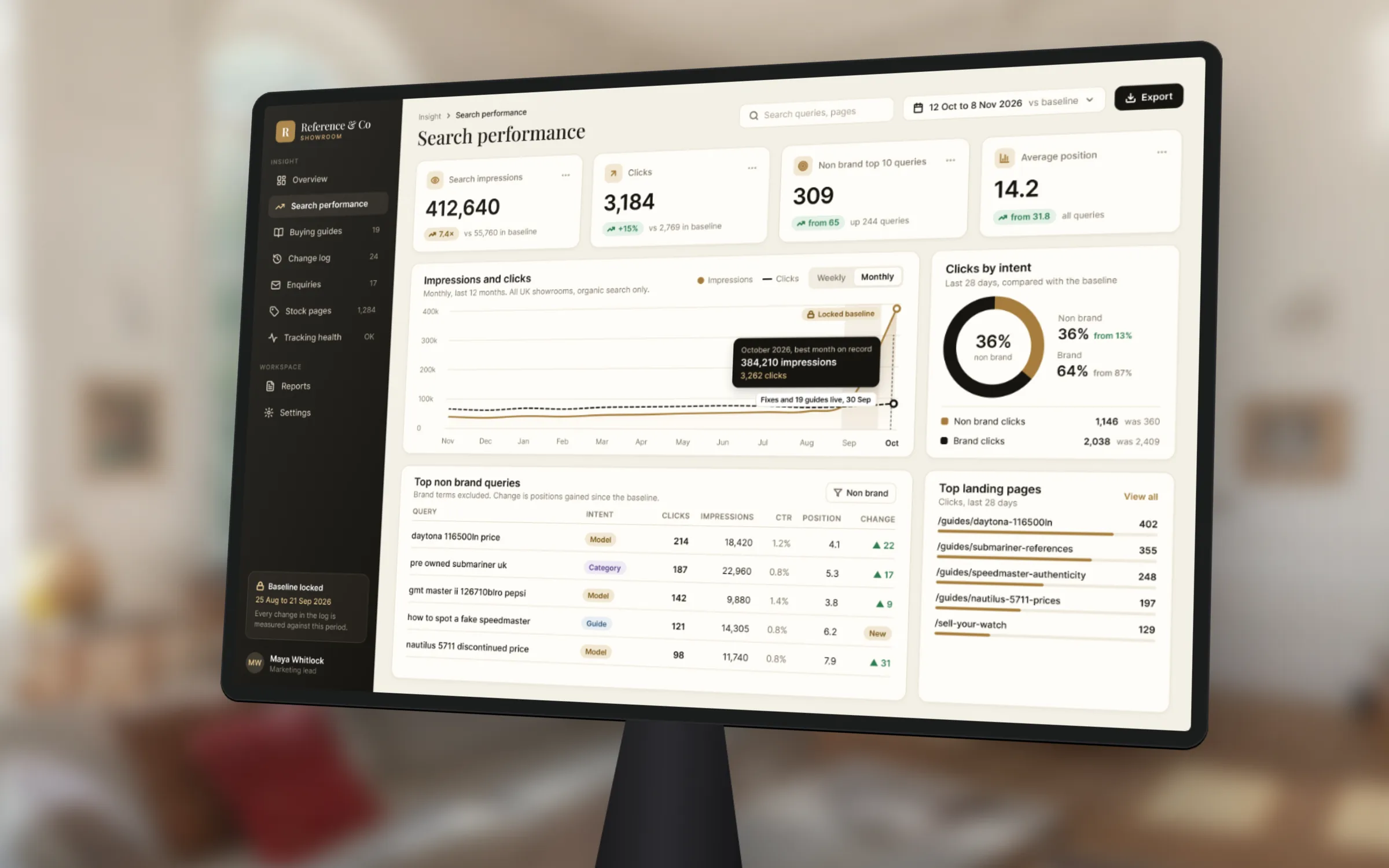
Buying guides are the most reliable way to earn links and attention for a shop. People link to a genuinely useful guide on choosing a watch or a mattress far more readily than to a category page, and the guide passes that value on to the category through its internal links. For a pre-owned watch dealer, we combined technical fixes with 19 buying guides. Search impressions rose 7.4 times and non-brand queries in the top 10 went from 65 to more than 309, measured against a locked baseline.
Look at external links too. If suppliers, press coverage or directories link to your home page or to an old URL, ask them to point at the most relevant category instead.
Measure
Measure it against revenue, not rankings
Before changing anything, lock a baseline: impressions, clicks and average position per category from Search Console, and revenue by landing page from GA4. Record every change with a date in a simple log. Without that, nobody can tell which change worked.
Technical fixes can show in search data within weeks once pages are recrawled. New copy, new subcategories and links usually take a few months. Judge each category on revenue from organic search, not position alone, because a page in fourth place for a high-intent search can be worth more than a top spot for a vague one. That only works if GA4 attributes revenue properly, so check that first.
If your categories are not pulling their weight, our ecommerce SEO audit at £1,950 crawls the shop, finds the filter and duplication problems and ranks the fixes by likely revenue. Ongoing work starts from £1,500 a month, reported against a locked baseline.
Key takeaways
- Category pages match the searches closest to a purchase
- Give each category one clear search to target and merge duplicates
- Keep filter combinations out of the index unless they have real demand
- Short intro above the grid, genuinely useful help below it
- Measure each category on organic revenue against a locked baseline

Written by
Felix Grant
Founder of Kitebox, a business technology and AI consultancy that builds what it recommends. Based in Mallorca, working with UK businesses.
About Felix →